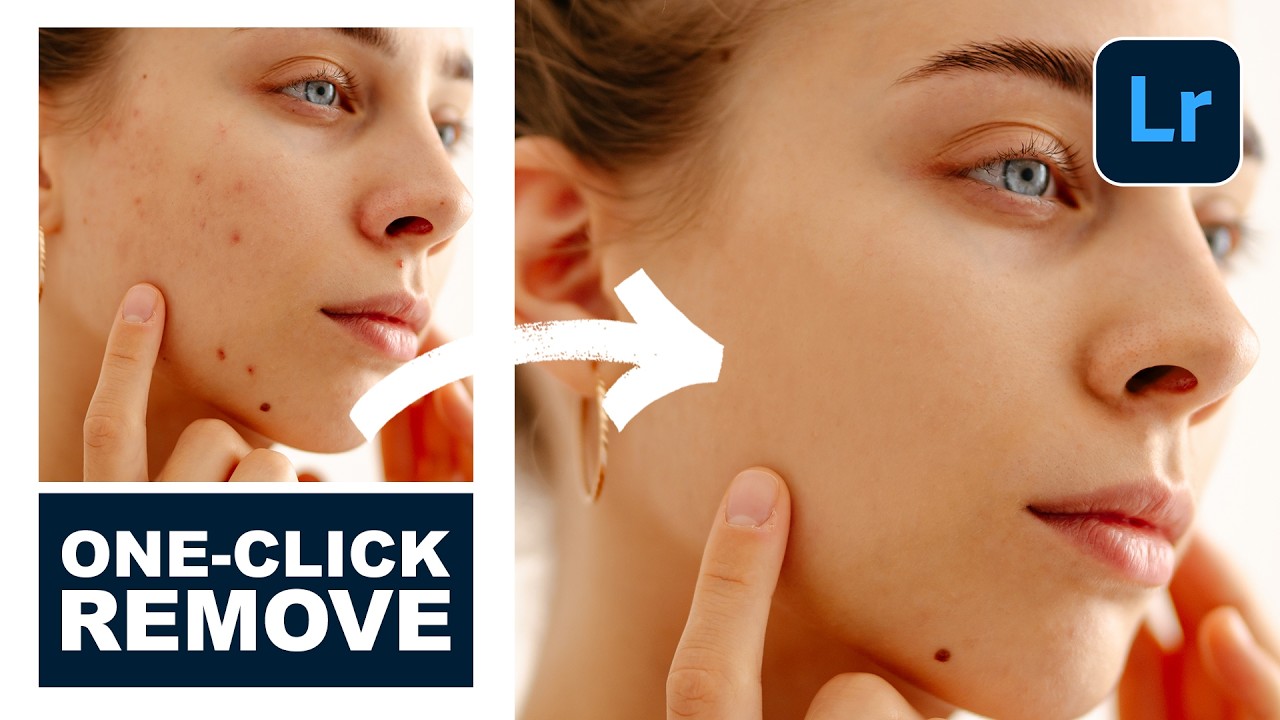
How to Use Lightroom Mobile's New AI Blemishes Tool for Professional Portrait Retouching

How to Use Lightroom Mobile's New AI Blemishes Tool for Professional Portrait Retouching

I’ve been following the rapid evolution of AI-powered editing tools, and I have to say—Lightroom Mobile’s new Blemishes tool is genuinely impressive. In this excellent tutorial, Aaron Nace (PHLEARN) shows us how to leverage this intelligent feature to achieve professional-quality skin retouching right from our phones. Let me break down exactly how this works and share some insights I’ve picked up from testing it myself. What Makes This Tool Different? Before we dive into the steps, I want to clarify why I’m excited about this feature.
How AI Chat History Transfer Could Transform Your Retouching Workflow

How AI Chat History Transfer Could Transform Your Retouching Workflow

How AI Chat History Transfer Could Transform Your Retouching Workflow I’ve been watching the AI landscape evolve, and I’m genuinely excited about what Google is doing with Gemini’s newest update. They’re rolling out the ability to bring your conversation history and personal data from other AI platforms directly into Gemini—and honestly, this has some really interesting implications for those of us in the portrait retouching and beauty editing space. Why This Matters for Beauty Editors Here’s the thing: as retouchers and beauty editors, we’re constantly building relationships with our AI tools.