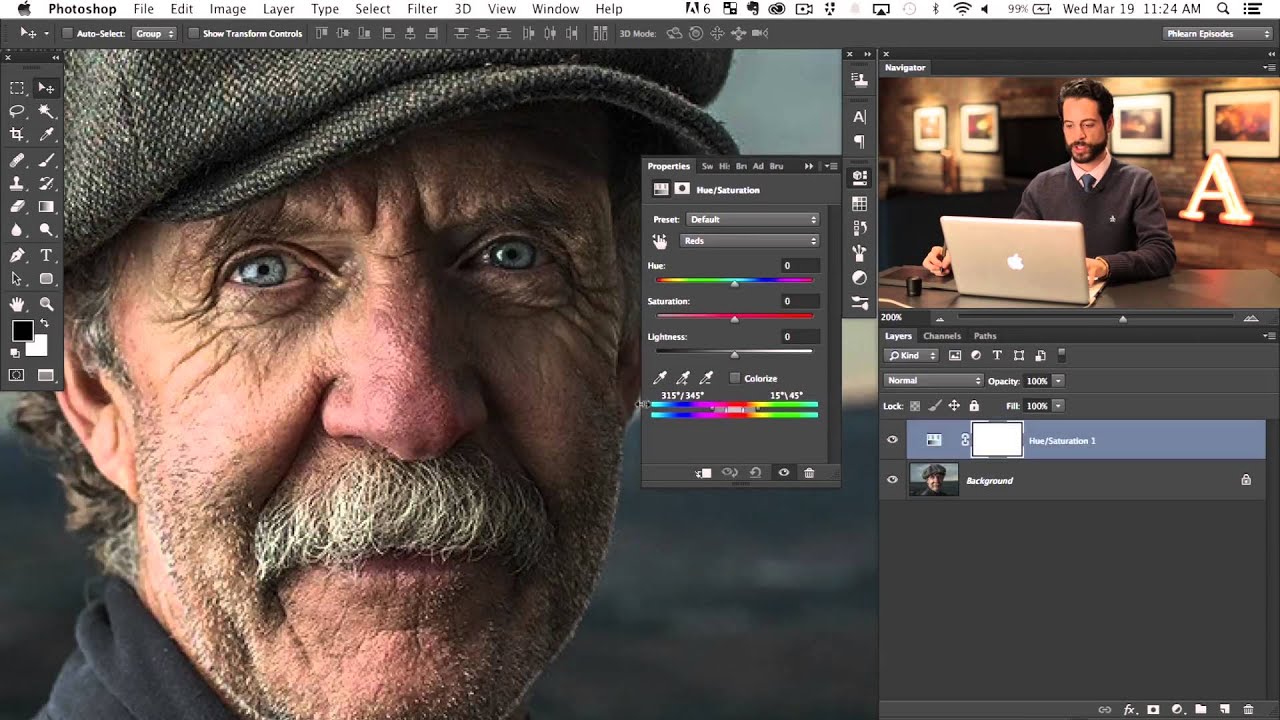
The Secret to Professional Headshot Retouching

The Secret to Professional Headshot Retouching

Corporate headshots are the bread and butter of portrait retouching. They’re not as glamorous as beauty or fashion work, but they pay the bills — and there’s a real art to doing them well. The goal with a corporate headshot is simple: make the person look like the best version of themselves on their best day. Not younger, not thinner, not different — just polished. What to Fix Temporary blemishes (always remove) Stray hairs (clean up the silhouette) Uneven skin tone (especially redness on nose, cheeks) Wrinkled clothing (quick fix with Liquify) Distracting background elements Under-eye circles (reduce, don’t eliminate) Shine on forehead and nose (reduce, keep some for dimension) What to Leave Alone Wrinkles (reduce by 20-30%, never remove) Moles and beauty marks (these are features, not flaws) Facial structure (no Liquify reshaping on headshots) Smile lines (they make people look friendly and genuine) The reason is practical: this person’s colleagues will see this photo.

The Ethics of Retouching: Where to Draw the Line

The Ethics of Retouching: Where to Draw the Line

Every retoucher eventually faces a request that makes them uncomfortable. A client asks you to make someone look twenty pounds thinner. A brand wants a model’s skin to look literally poreless. A parent asks you to slim down their teenager in a family photo. These aren’t hypotheticals. They’ve all happened to me, and they’ll happen to you. Having a framework for thinking about these decisions before you’re in the moment is essential.

The Essential Guide to Color Correction in Portrait Retouching

The Essential Guide to Color Correction in Portrait Retouching

The Essential Guide to Color Correction in Portrait Retouching When I first started retouching portraits, I noticed that even the most beautifully lit photographs could fall flat without proper color correction. A client would look at their edited image and say, “Something feels off,” even though the skin looked smooth and the composition was perfect. That something was usually color. Color correction is the foundation of professional portrait retouching. It’s what transforms a decent photo into one that feels alive, balanced, and genuinely flattering.

The Complete Guide to Professional Headshot Editing

The Complete Guide to Professional Headshot Editing

The Complete Guide to Professional Headshot Editing I’ve edited thousands of headshots over my career, and I can tell you this: a great headshot isn’t just about the photographer’s skill behind the camera. It’s about what happens after. The editing phase is where we transform a good photo into a portrait that lands interviews, builds credibility, and makes you feel confident. Whether you’re updating your LinkedIn profile, preparing for an audition, or building your professional portfolio, knowing how to edit your headshots properly makes all the difference.

The Complete Guide to Color Correction in Portrait Retouching

The Complete Guide to Color Correction in Portrait Retouching

The Complete Guide to Color Correction in Portrait Retouching Color correction is where portraiture truly comes alive. I’ve learned that even the most beautifully lit portrait can fall flat if the colors aren’t working in harmony. Whether you’re editing a single headshot or batch processing from a wedding, understanding color correction fundamentally changes how your portraits feel and how your clients respond to them. Let me walk you through the techniques I use daily to transform color in my retouching workflow.

The Best Photoshop Brushes for Portrait Retouching

The Best Photoshop Brushes for Portrait Retouching

You don’t need hundreds of brushes for portrait retouching. You need about five, configured correctly. Most professional retouchers use a surprisingly small set of brushes and rely on pressure sensitivity and blend modes to get different effects. Here’s my working brush kit and how I use each one. 1. The Soft Round Brush (Your Workhorse) This is Photoshop’s default round brush with hardness set to 0%. You’ll use this for 70% of your retouching work.

The Art of Subtle Skin Retouching: Keeping Your Portraits Natural

The Art of Subtle Skin Retouching: Keeping Your Portraits Natural

The Art of Subtle Skin Retouching: Keeping Your Portraits Natural When I first started retouching portraits, I made the same mistake most of us do: I went too far. Every portrait looked flawless in an uncanny way—poreless, featureless, and frankly, not quite human. It took years for me to understand that the best skin retouching isn’t about creating perfection. It’s about creating confidence. The goal we’re aiming for is simple: enhance what’s already beautiful while preserving the character, texture, and authenticity that makes a portrait compelling.

The Art of Subtle Skin Retouching: A Step-by-Step Guide to Natural Results

The Art of Subtle Skin Retouching: A Step-by-Step Guide to Natural Results

The Art of Subtle Skin Retouching: A Step-by-Step Guide to Natural Results When I first started retouching portraits, I thought more editing meant better results. I was wrong. The best skin retouching is invisible—it enhances what’s already there without making someone look like a porcelain doll. Over the years, I’ve learned that restraint is actually our greatest skill as retouchers. Today, I want to share the approach that’s transformed my work and hopefully will transform yours too.

The Art of Subtle Beauty Editing: Enhancing Without Overdoing It

The Art of Subtle Beauty Editing: Enhancing Without Overdoing It

The Art of Subtle Beauty Editing: Enhancing Without Overdoing It I’ve spent years watching clients’ faces light up when they see their portraits—not because they look like someone else, but because they look like the best version of themselves. That’s the sweet spot we’re after in beauty editing, and I’m excited to walk you through how we get there. Understanding the Philosophy Behind Subtle Editing When I first started retouching, I thought more was always better.

The Art of Subtle Beauty Editing: Enhancing Without Over-Processing

The Art of Subtle Beauty Editing: Enhancing Without Over-Processing

The Art of Subtle Beauty Editing: Enhancing Without Over-Processing I’ve spent the last decade perfecting the delicate balance between enhancement and authenticity. When I started portrait retouching, I made the same mistake many editors do: I over-processed everything. Skin looked plastic, pores disappeared entirely, and the final images looked nothing like the actual person. That’s when I realized that true beauty editing isn’t about erasing flaws—it’s about revealing the best version of someone’s natural self.

The Art of Skin Retouching: Achieving Natural-Looking Results

The Art of Skin Retouching: Achieving Natural-Looking Results

The Art of Skin Retouching: Achieving Natural-Looking Results When I first started retouching portraits, I made the same mistake many beginners do: I smoothed skin until it looked plastic. My clients didn’t recognize themselves. That’s when I learned that great skin retouching isn’t about perfection—it’s about enhancement that feels authentic. Today, I want to share what I’ve learned about creating skin that looks healthy, clear, and genuinely human. Whether you’re editing for yourself or clients, these techniques will help you find that sweet spot between polish and natural beauty.

The Art of Skin Retouching: A Beginner-Friendly Guide to Natural Results

The Art of Skin Retouching: A Beginner-Friendly Guide to Natural Results

The Art of Skin Retouching: A Beginner-Friendly Guide to Natural Results When I first started retouching portraits, I made the same mistake many of us do: I over-smoothed everything. The result? Beautiful skin that looked like porcelain—and completely artificial. Over the years, I’ve learned that the best skin retouching is the kind people don’t notice. It’s about enhancement, not transformation. Today, I want to share what I’ve discovered about creating skin that looks naturally flawless.