
What Happens When Non-Retouchers Edit Pro Photos (And What It Teaches Us About the Basics)

What Happens When Non-Retouchers Edit Pro Photos (And What It Teaches Us About the Basics)

There’s a particular kind of clarity that comes from watching someone with zero retouching experience open Photoshop for the first time. No habits, no muscle memory, no shortcuts. Just instinct. When I first started retouching wedding portraits years ago, I made a lot of the same moves I see beginners make now: grabbing the wrong tool, fixing one small thing while accidentally breaking something else, and calling it done way too soon.
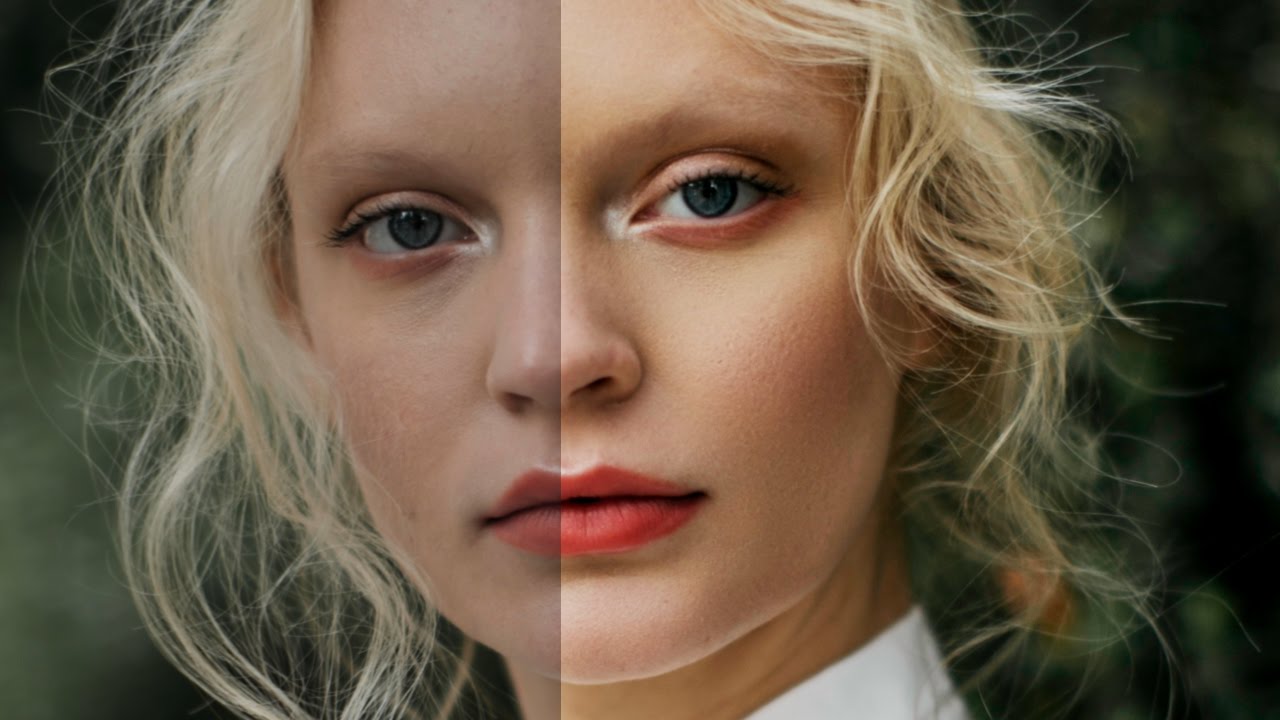
Frequency Separation for Beginners: A Working Retoucher's Guide to Jessica Kobeissi's Method

Frequency Separation for Beginners: A Working Retoucher's Guide to Jessica Kobeissi's Method

Early in my retouching career, I had a client look at a finished portrait and tell me the skin looked “like a wax figure.” She wasn’t wrong. I’d been painting over everything on a single merged layer, smoothing out texture along with blemishes, and the result was exactly as plastic as she described. That comment sent me down a long road of learning how to separate what I was fixing from what I needed to preserve.

The Five-Minute Portrait Cleanup That Makes Everything Else Work Better

The Five-Minute Portrait Cleanup That Makes Everything Else Work Better

What Photographers Skip That Retouchers Never Do A few years back, I got a file from a photographer I’d just started working with. Beautiful natural light, great expression, solid composition. I opened it in Photoshop and immediately spotted the problem: flyaway hairs crossing the subject’s eyes, a visible bra strap, a small but distracting catchlight from a phone screen in the background, and a coffee stain on the backdrop that the photographer had clearly stopped seeing somewhere around hour four of the shoot.